For tour operators
Supplier contractsinto your booking system.Without the retyping.
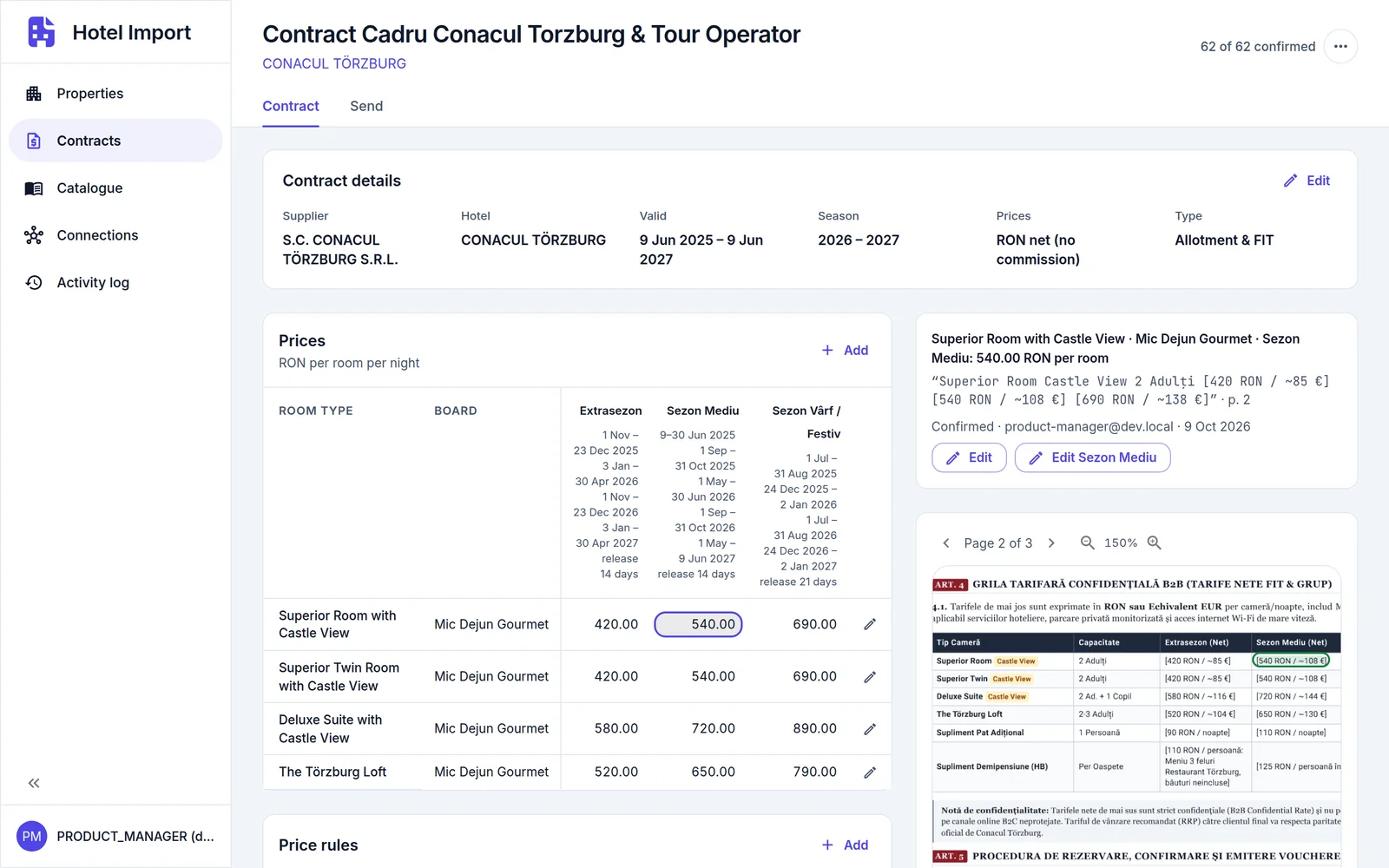
Hotel Import reads a supplier's contract with the AI model you choose and sets every price and rule beside the place on the page it came from. Your team confirms each value, then sends the contract to your booking system and reads it back.
Why it matters
A supplier's contract is right on the day it is issued.
An addendum changes two prices, a room type is withdrawn, a child reduction changes its ages. What was loaded from last season's contract is wrong and looks right, and what you sell is a promise to the traveller. Hotel Import keeps every price and rule tied to its page. Change a value after the contract is sent, and it tells you how many values changed since and updates the contract in your booking system.
Built for the hotels you contract directly, including the ones no commercial content feed covers.
Why Hotel Import
Built for the team that loads your hotels.

Review instead of retyping.
The AI reads the contract. Your team checks the result.
Every value traceable.
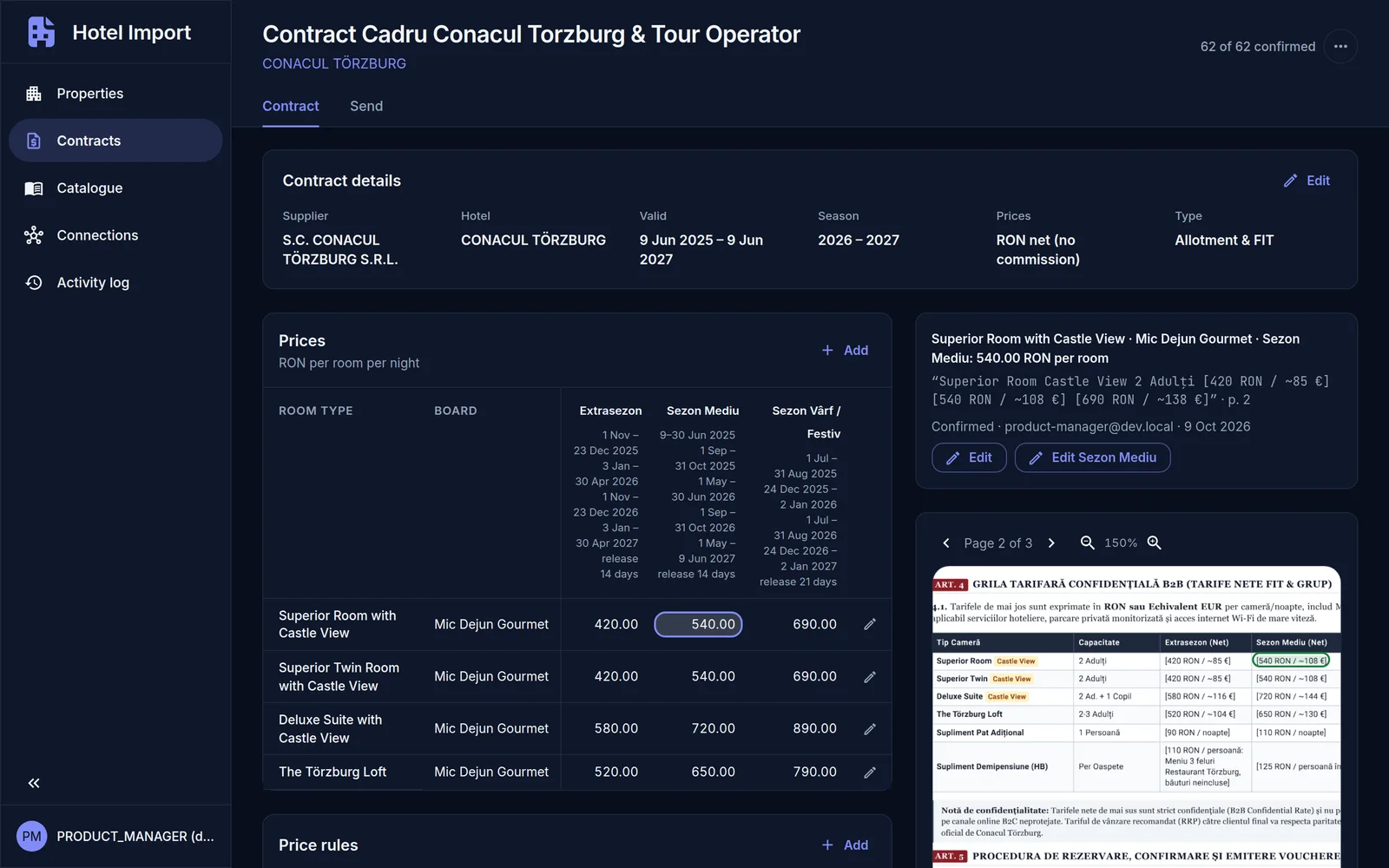
Select a price and its place on the PDF is outlined, with the supplier's own words beside it.
Every value confirmed by a person.
Each value is To check until someone confirms it, one at a time or a whole table at once. Send waits until all of them are.
Questions, not guesses.
Two prices for one room and date, age bands that overlap, a price that is missing: the reading asks your team.
See what changes before it goes.
Before Send, Hotel Import reads what your booking system holds now and shows what differs from what you send, and what it has no place for, by reason.
Read back after.
What was saved is read back from your booking system and compared with what was sent.
How it works
Your team stays in charge at every step.
The AI does the reading. People make the decisions. A supplier contract, from PDF to your booking system.
Step 1: Add the contract.
Add the supplier's PDF to the hotel and choose the AI model that reads it: a cloud model, or a multimodal LLM running on your own hardware. Seasons, room types, boards, prices, supplements, child and extra-bed rules, offers, allotment and terms come into one contract to review.
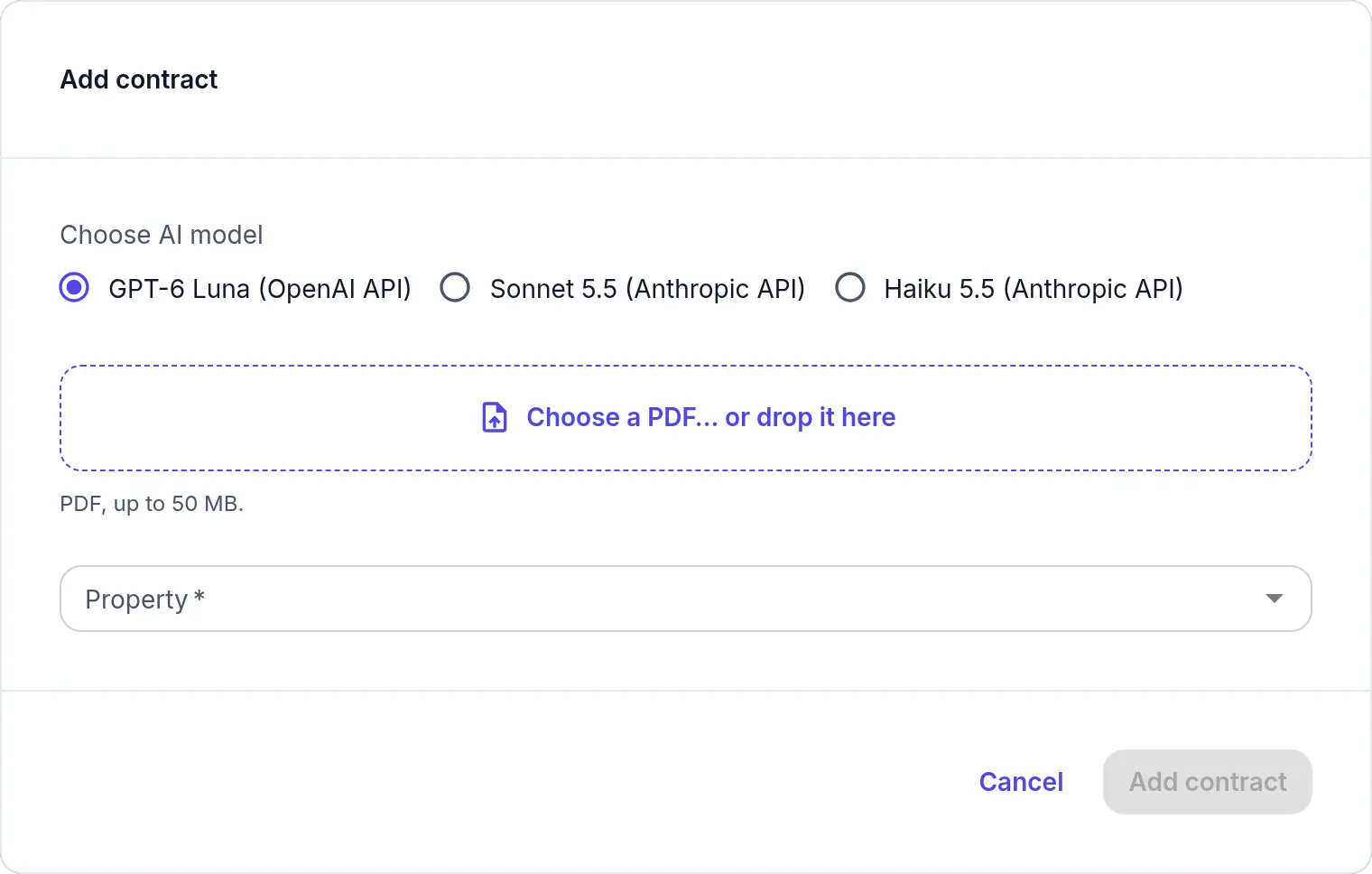
Choose the AI model for each contract. Step 2: Confirm each value beside its page.
Every price, room type, period and rule is To check until a person confirms it. Select one and its place on the PDF is outlined, with the supplier's words beside it. Confirm it, or press the c key and go on to the next; Confirm all takes a whole table. A value a person edits counts as confirmed, and the page counts how many are.
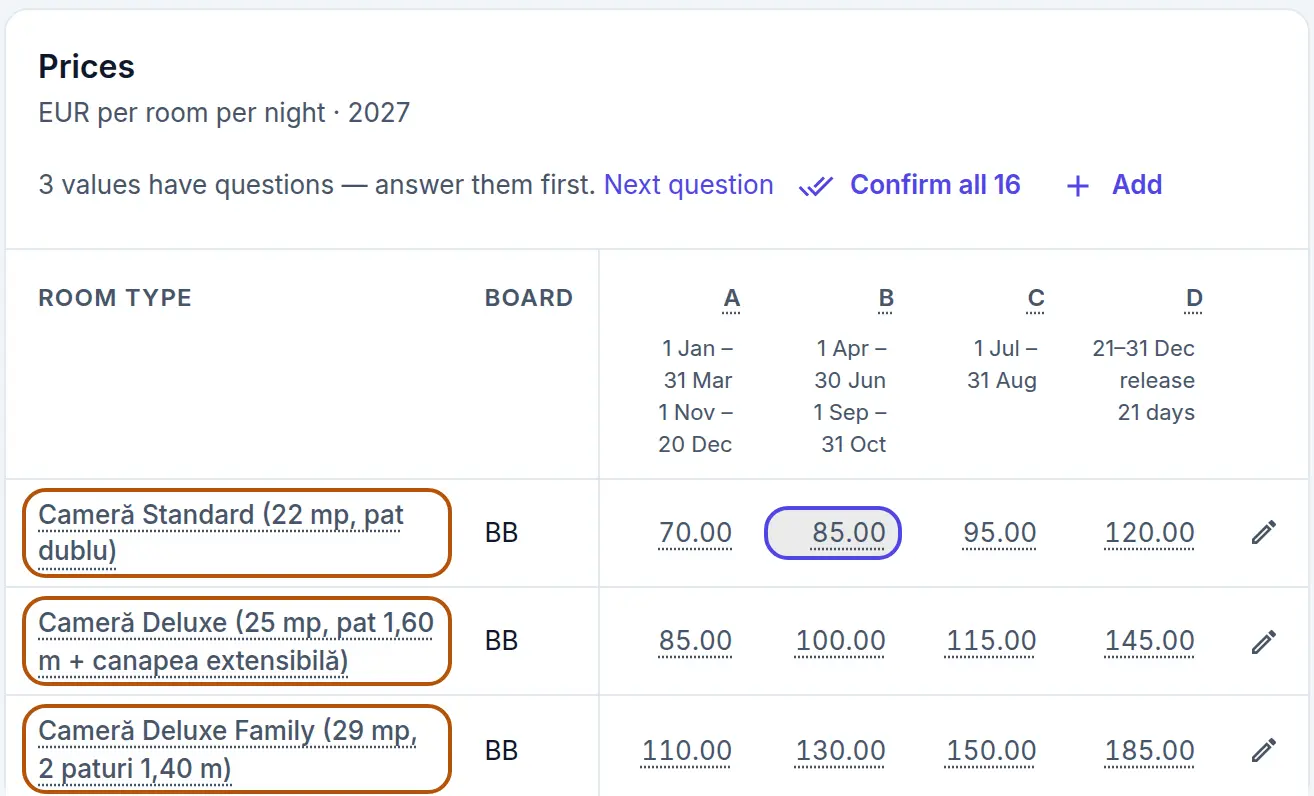
To check until a person confirms it. Step 3: Answer what the PDF leaves open.
Where the PDF is ambiguous, the reading asks: two prices for one room and date, age bands that overlap, a price that is missing. Answer, or edit the value. Next takes you through the questions, then the values still to check.
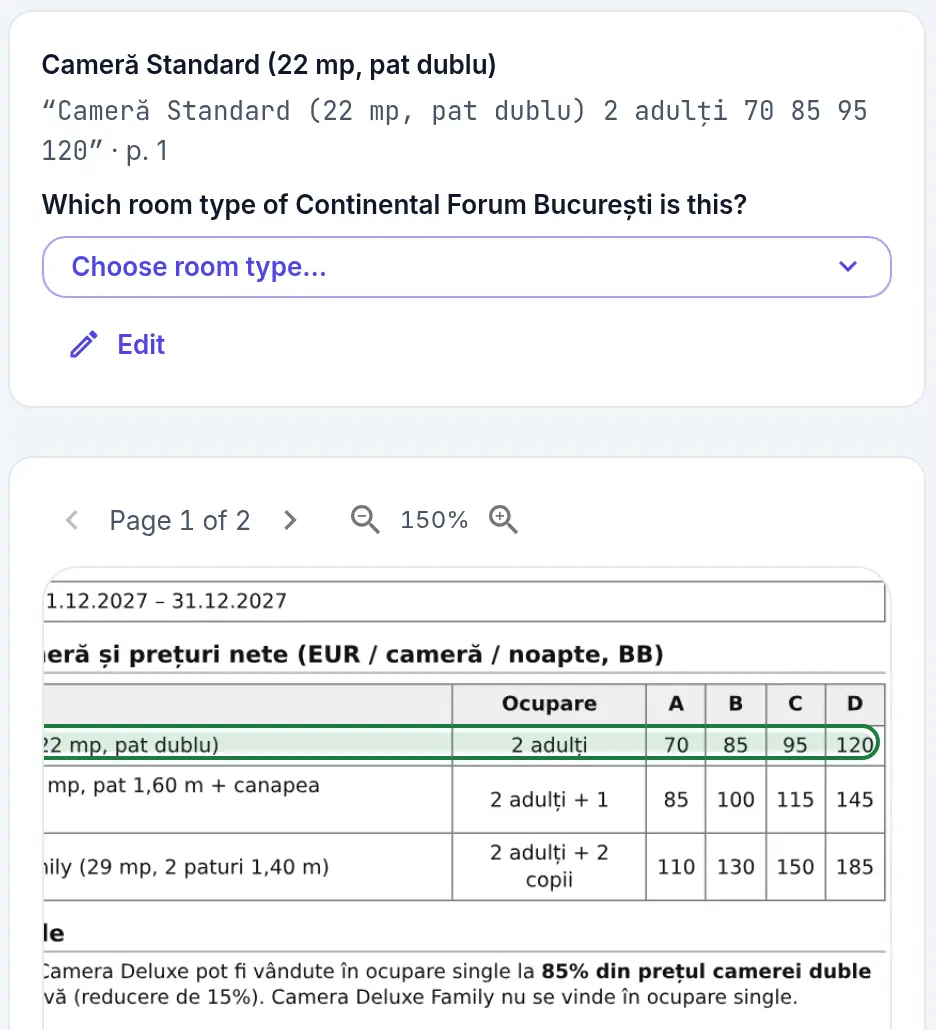
Where the PDF is ambiguous, your team decides. Step 4: See what changes, then send.
Once every value is confirmed and no question is open, Send opens. Pick the hotel in your booking system; room types and boards are matched to its own. The Review then reads what your booking system holds now and shows only the rows that differ from what you send. What it has no place for is listed by reason. Or download the contract as JSON.
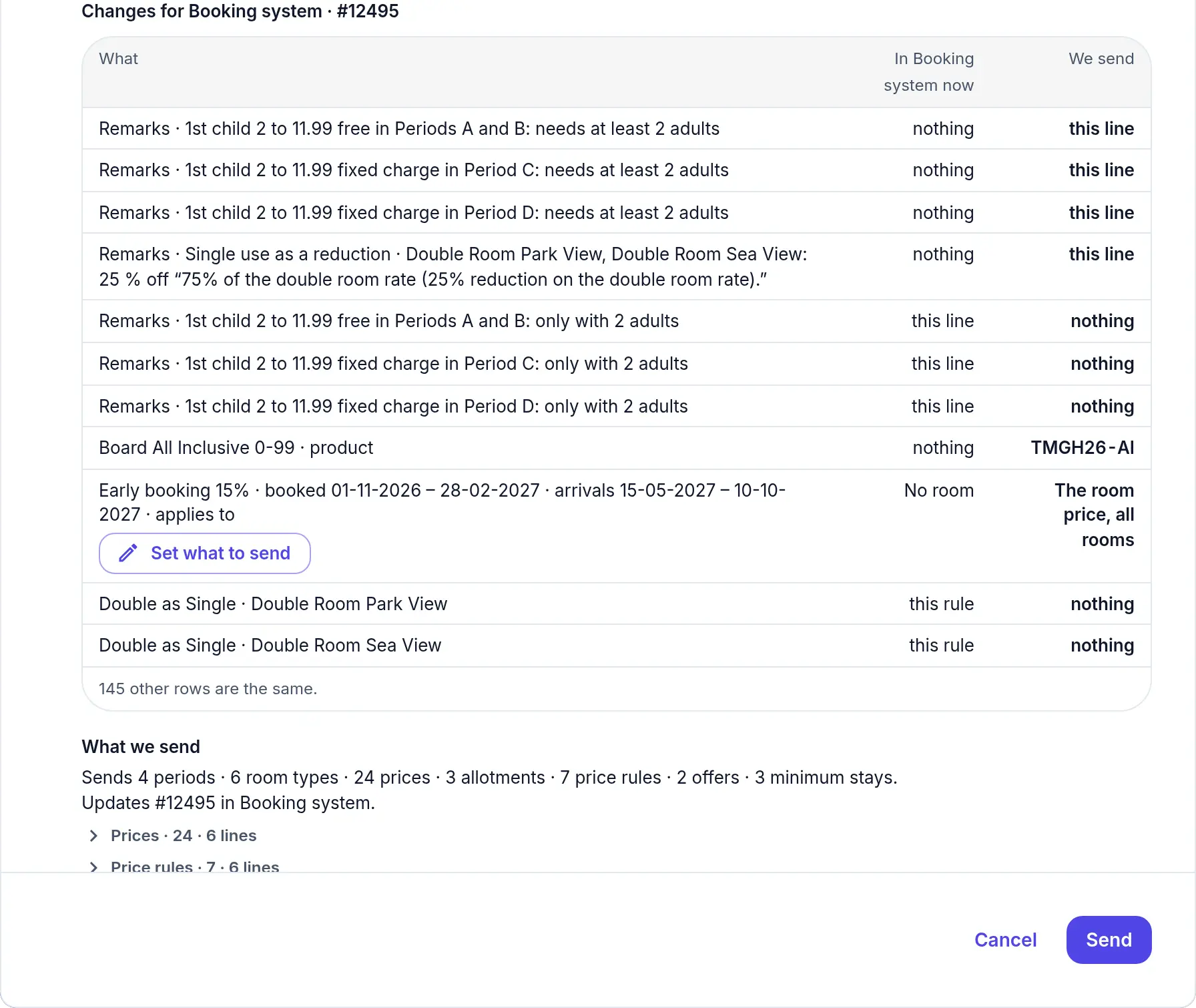
What your booking system holds now, beside what you send. Step 5: Saved, read back, kept current.
The Send tab lists where the contract goes, one row per destination, with the contract it was saved as there. What was saved is read back and compared. Edit a value afterwards and the row says how many values changed since; Update shows the comparison again and replaces the contract there. Importing the contract into the hotel is done in your booking system, as today.
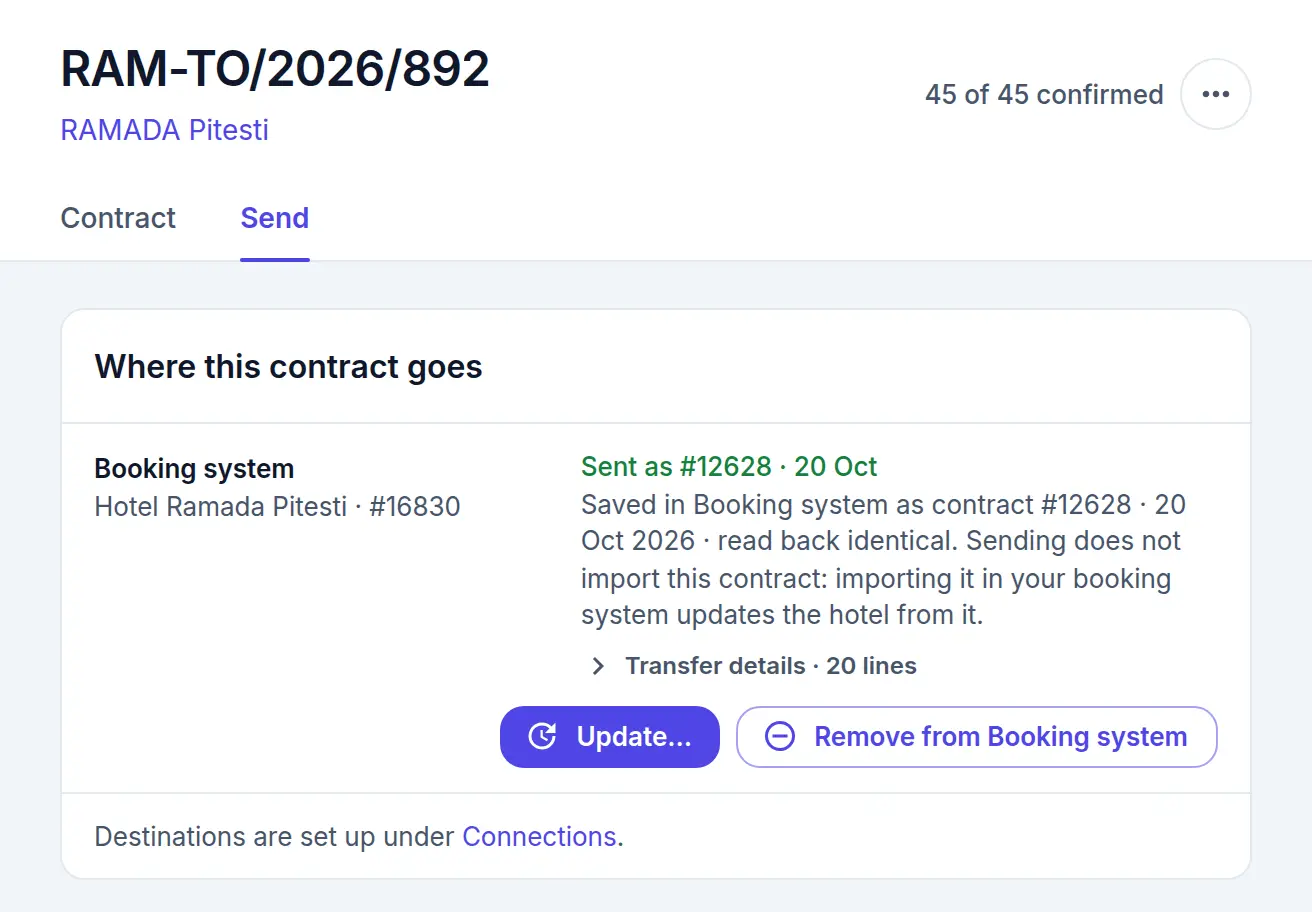
Where the contract went, and what changed since.
Choice of AI
Not tied to one AI provider.
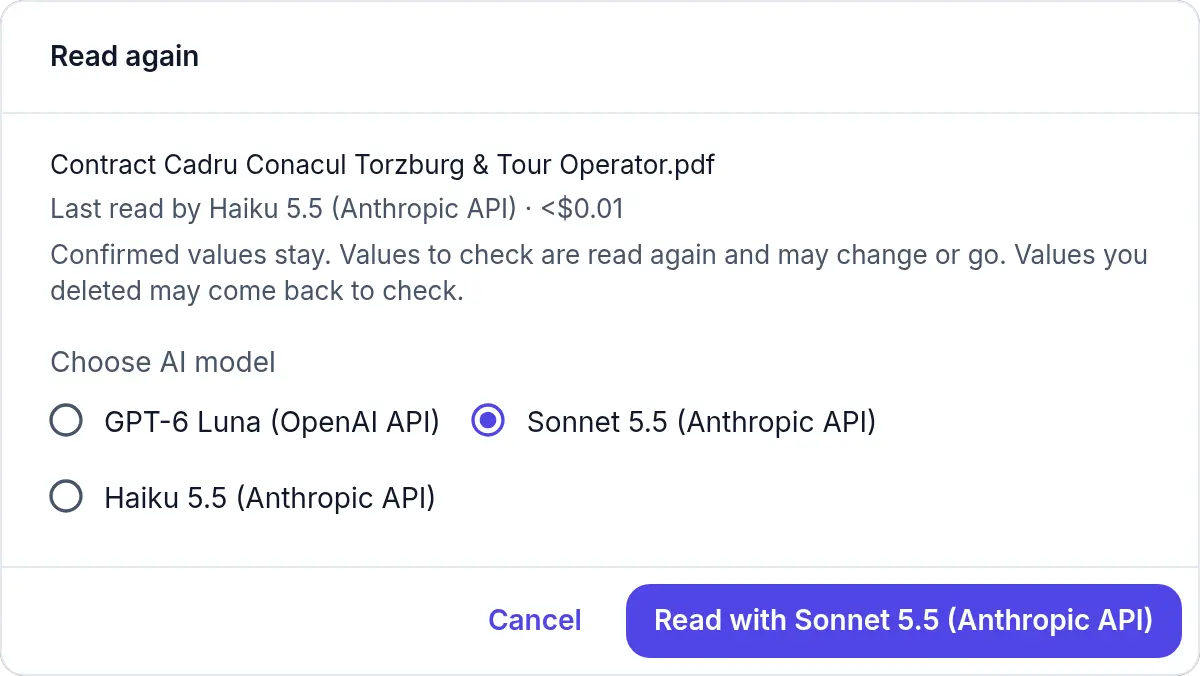
Hotel Import works with cloud AI models or with a multimodal LLM running on your own hardware. You choose for each contract.
- The contract names the model that read it.
- Read again with another model: the contract is locked while it reads, confirmed values stay, and only the values still to check are filled in.
- Switch as better models arrive. The review, the checks and the send stay the same.
- Already run your own AI? We connect your multimodal LLM.