For tour operators
Supplier factsheetsinto your booking system.Without the retyping.
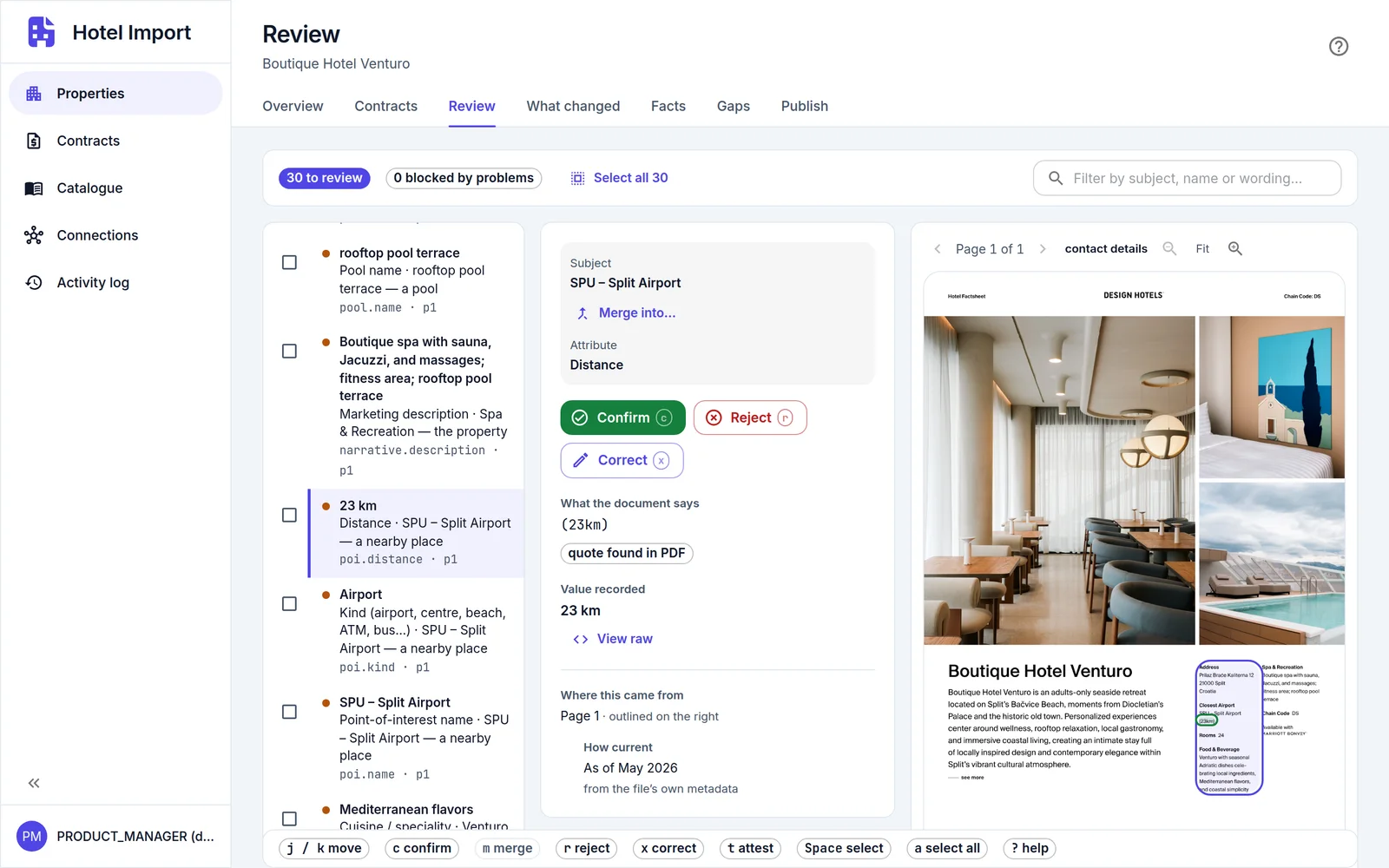
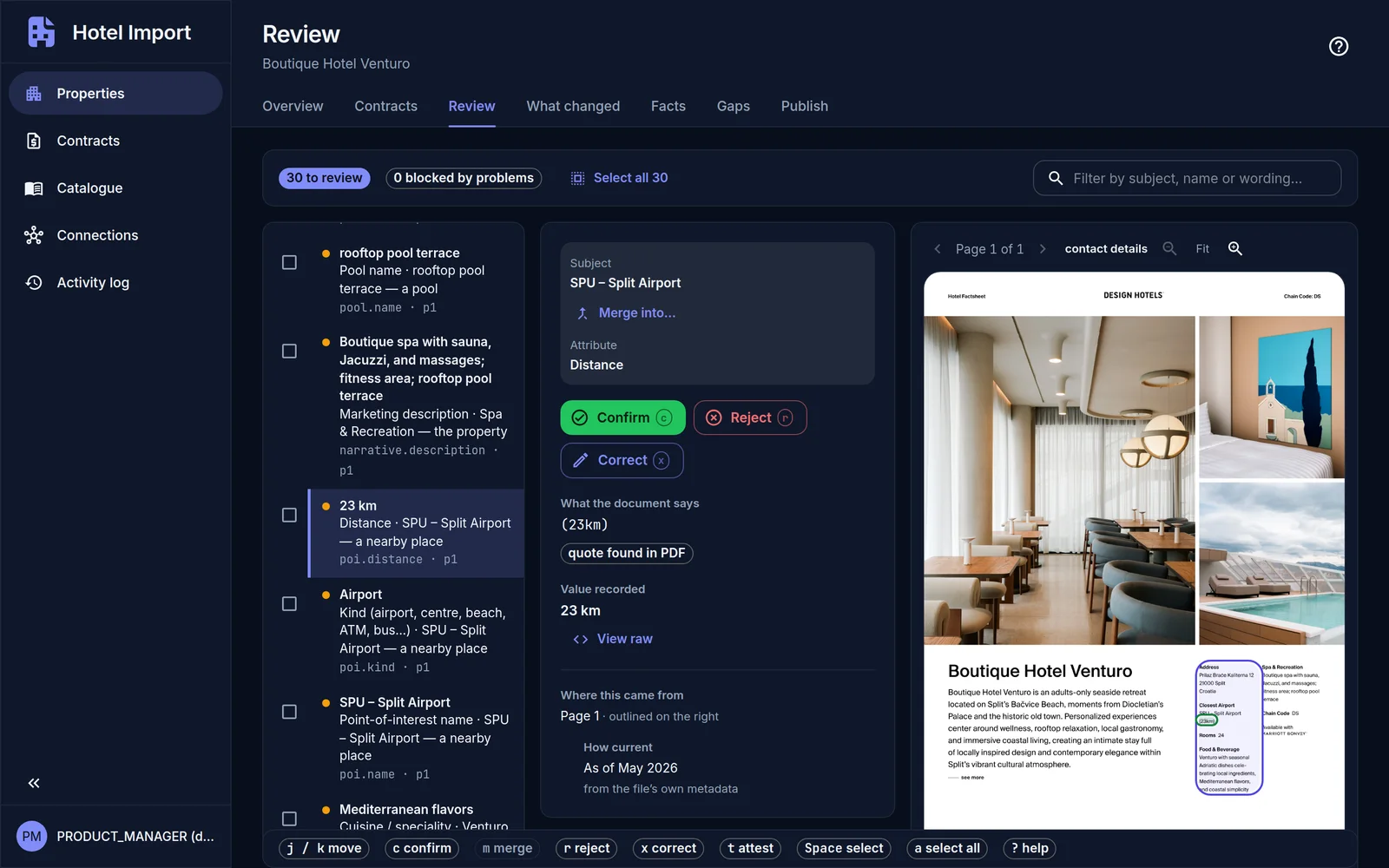
Hotel Import reads the supplier's PDF and sets each value beside the page it came from. Your team checks and approves it, then sends the hotel to your booking system.
Why it matters
A factsheet is right on the day it is issued.
Pools close for renovation, restaurants change, a kids' club changes its ages. A record built from last year's factsheet is wrong and looks right, and what you publish about a hotel is a promise to the traveller. Hotel Import keeps every value tied to its source and its date, and shows you what changed when the supplier reissues.
Built for the hotels you contract directly, including the ones no commercial content feed covers.
Why Hotel Import
Built for the team that loads your hotels.

Review instead of retyping.
The AI reads the factsheet. Your team checks the result.
Nothing invented.
A value appears only if the supplier's factsheet states it.
Every value traceable.
Each one keeps its page, the supplier's own words, the factsheet's date and who confirmed it.
Current when suppliers reissue.
A new edition shows what changed since the last one.
Nothing sent without approval.
Your team approves each version and chooses what is sent. Every approval and every send is on record: who, and when.
Your choice of AI.
Cloud models, or a self-hosted multimodal LLM. No lock-in.
How it works
Your team stays in charge at every step.
The AI does the reading. People make the decisions.
Step 1: Upload the factsheet.
Add the supplier's PDF and choose the AI model that reads it. It reads hotel details and contacts, facilities, restaurants and bars, pools, distances, and each room type with what it offers, in any language and any layout: tables, room grids or running prose.
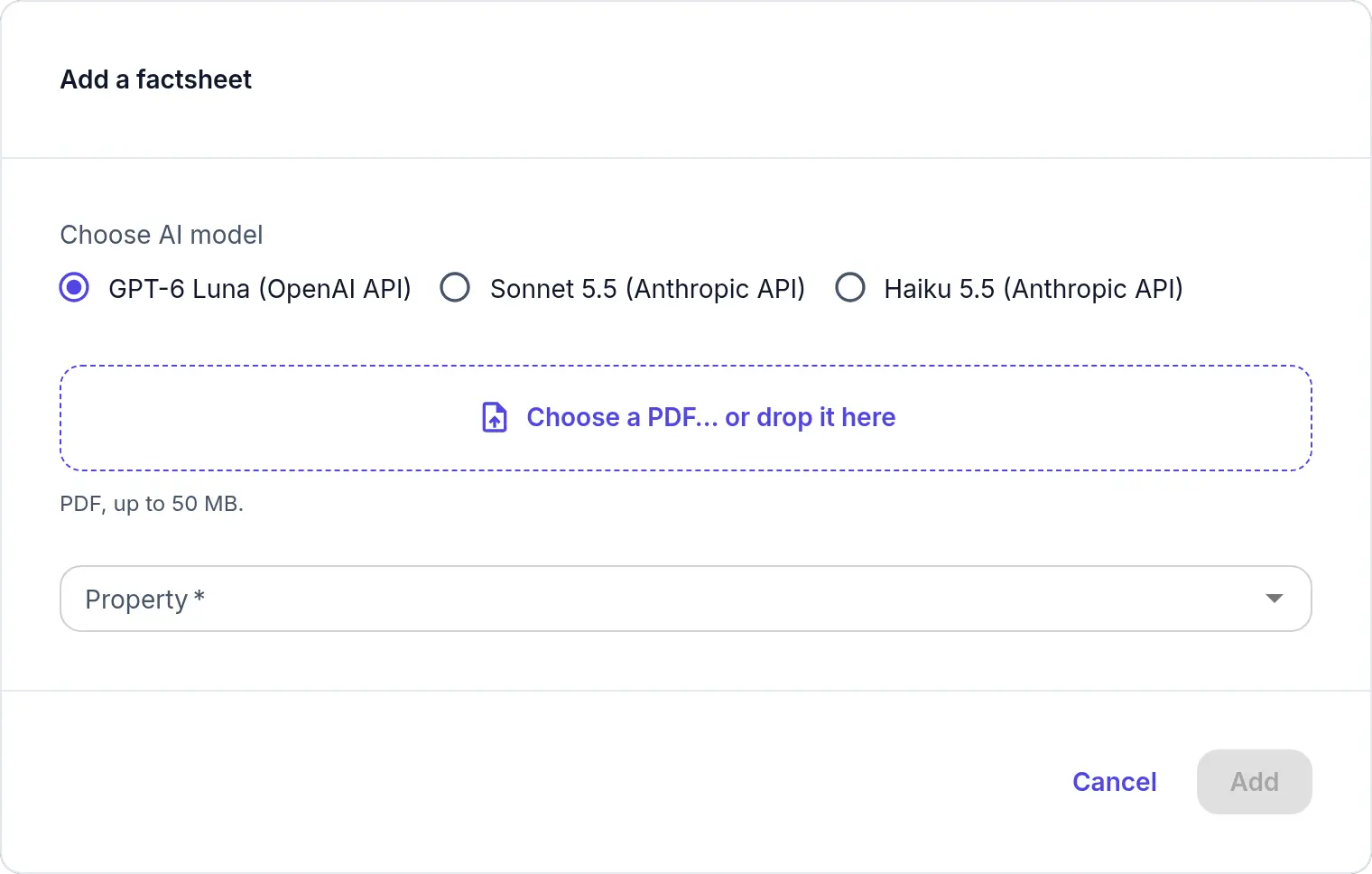
Choose the AI model for each factsheet. Step 2: Review each value.
Every value sits beside the page it came from, quoting the supplier's words. Confirm, correct or reject. Contradictions, room counts that do not match the total, and parts of a page that could not be read are flagged. Anything the AI could not place is listed. Values stay in the supplier's language; nothing is translated.
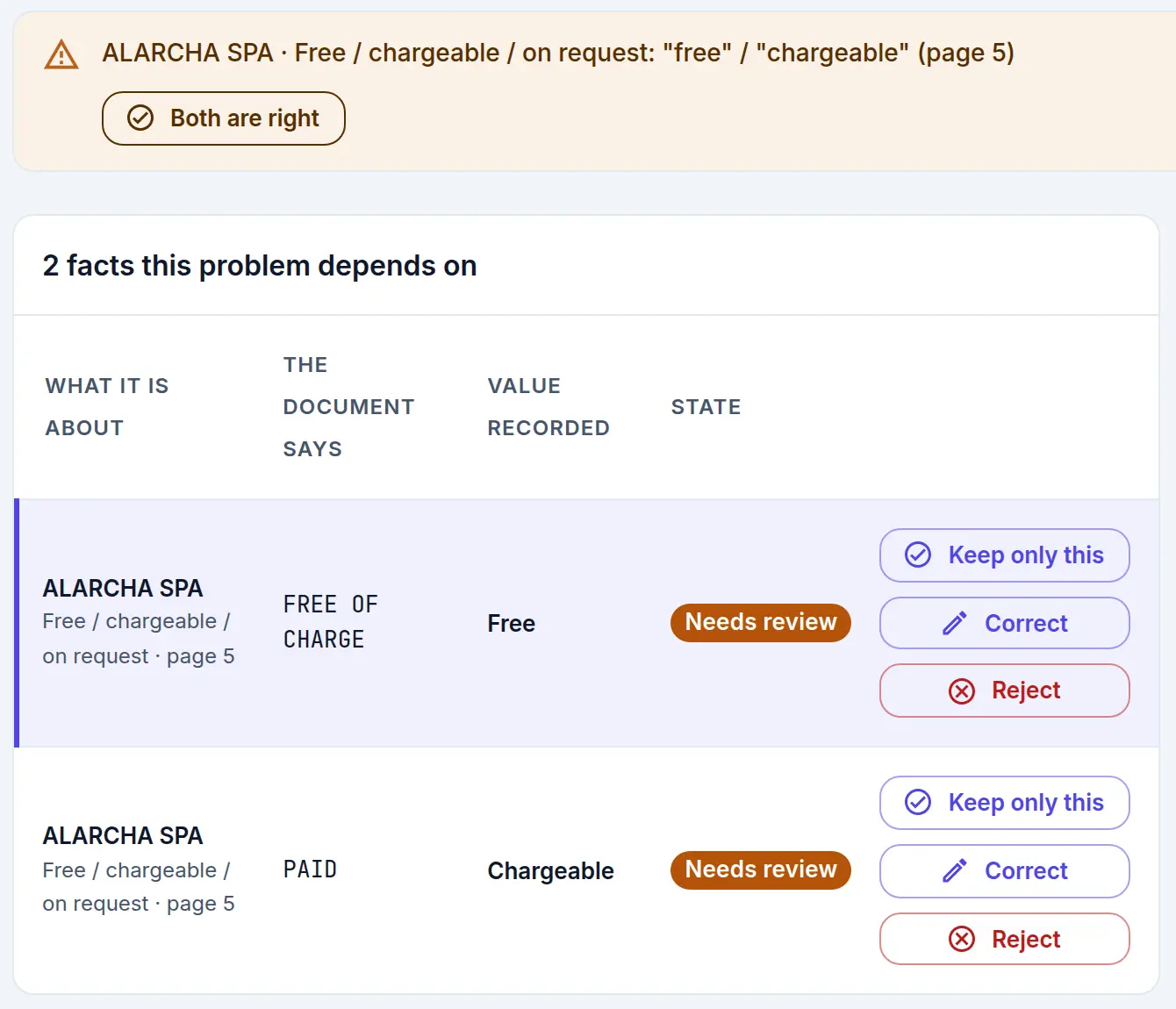
When the factsheet says two things, your team decides. Step 3: Approve a version.
Approval records who approved the hotel, and when. It sends nothing.
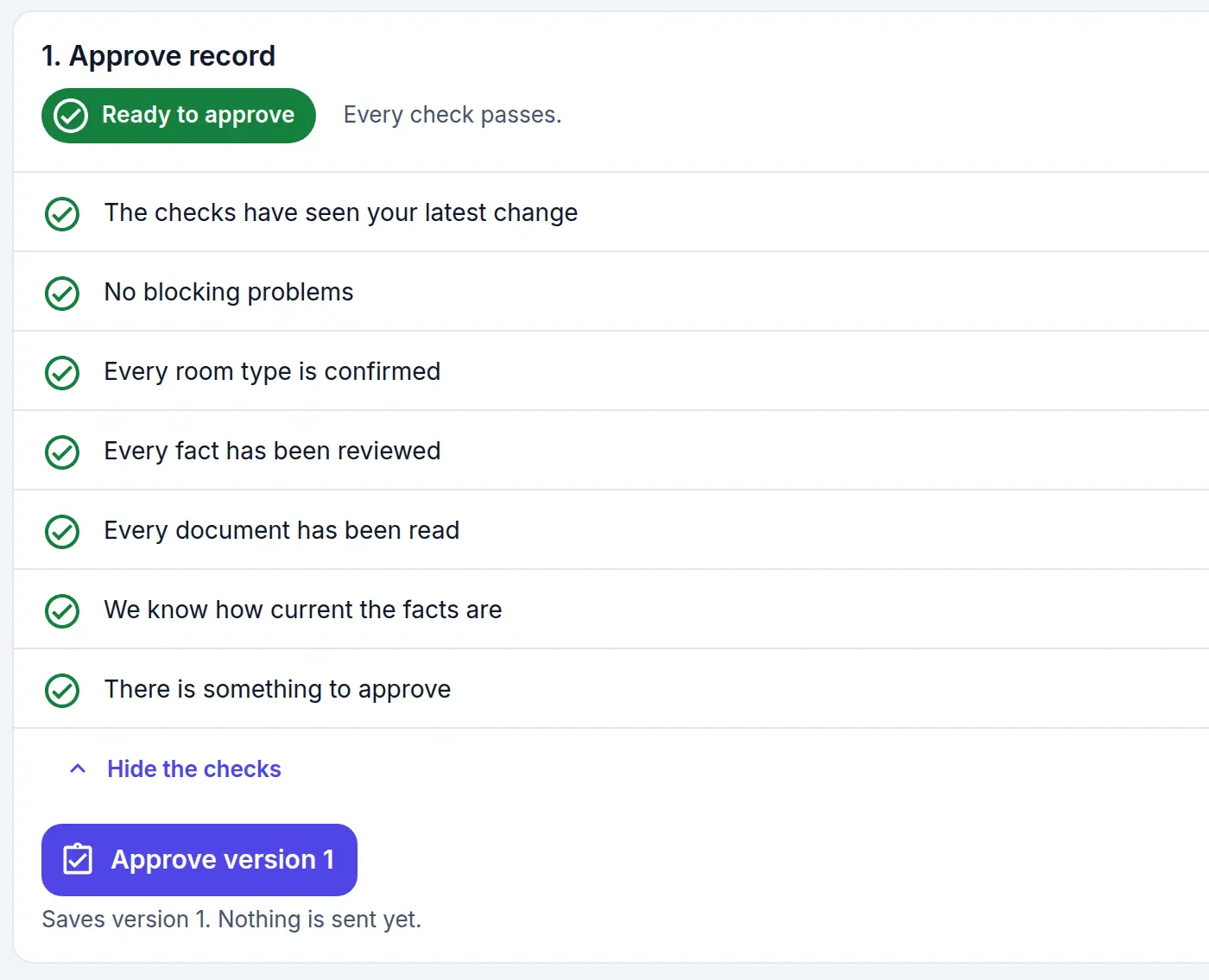
Approval saves a version. Nothing is sent yet. Step 4: Choose what to send.
Create the hotel in your booking system, or update one that is already there. The AI suggests a match for each room type from your own list, so rooms are sold the way you contract them; your team accepts it or picks another. Before the send, each field is shown with its source, to change or hold back. Prices come from the contract, not the factsheet.
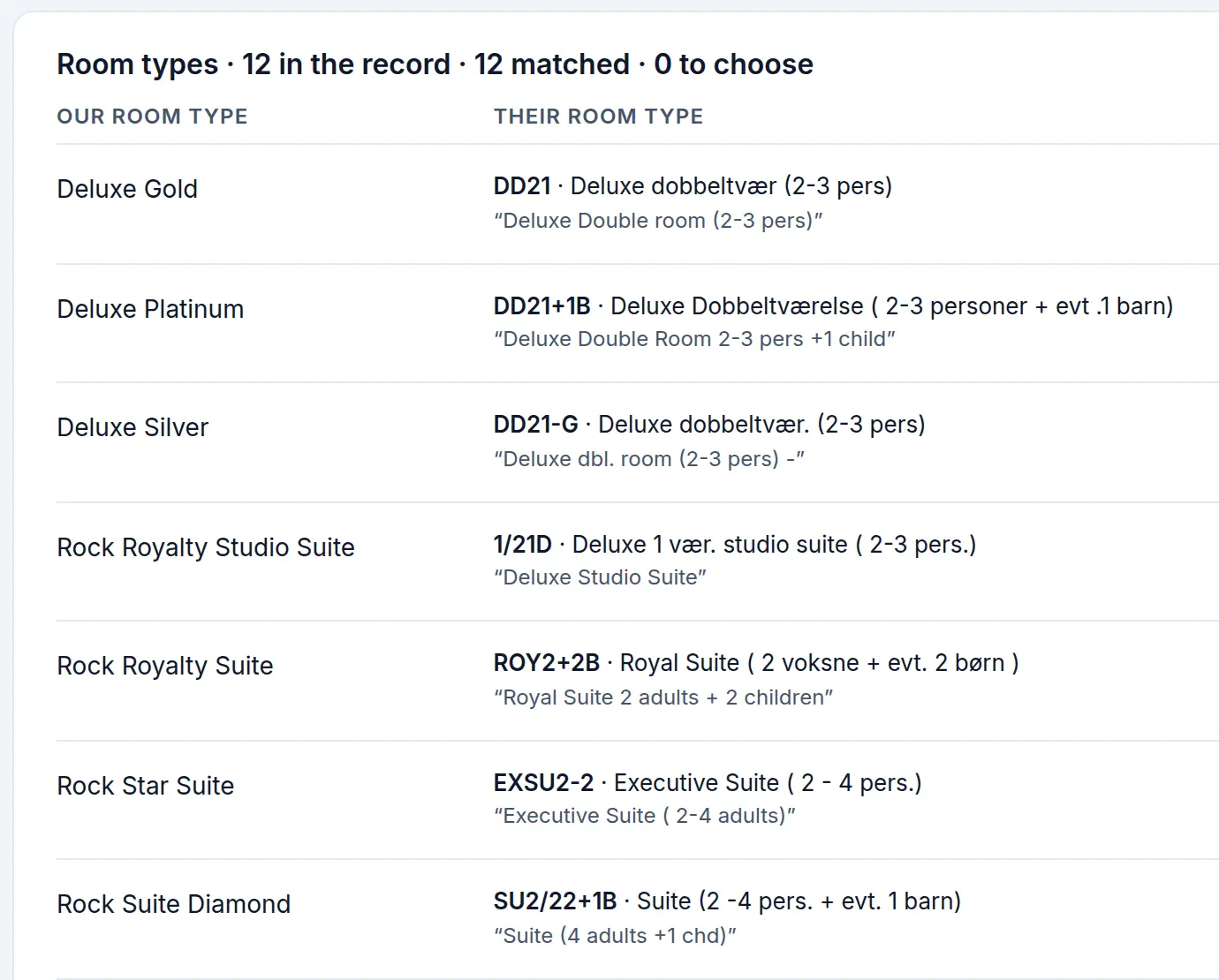
Each room type matched to one of yours. Step 5: Confirm the result.
After the send, Hotel Import checks your booking system and confirms that each value arrived as approved. If one did not, sending stops until someone looks.
Supplier updates
Keep hotel content current.
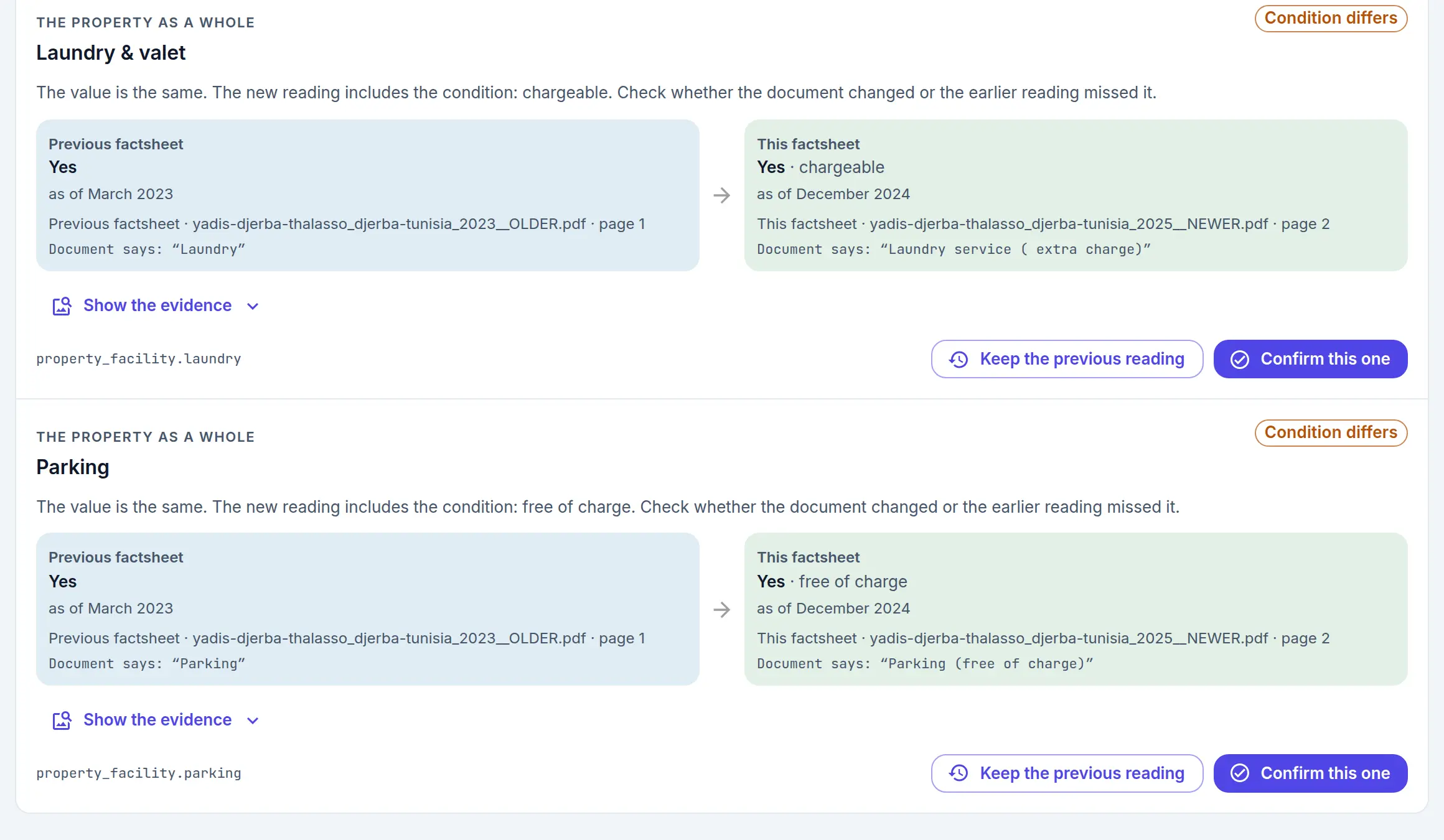
When a supplier reissues a factsheet, add the new edition to the same hotel. Your team reviews the few values that changed, not the whole factsheet again.
- Each changed value is shown old beside new, with its page in both editions.
- Your team decides which value stays.
- The update sends only what differs from your booking system.
Choice of AI
Not tied to one AI provider.
Hotel Import works with cloud AI models or with a multimodal LLM running on your own hardware. You choose for each document.
- Pick the model, and its cost, for the work in hand. Each reading shows the model used and, for cloud models, what it cost.
- Switch as better models arrive. The review, the checks and the send stay the same.
- Re-read a document with another model for a second opinion. What your team has confirmed stays.
- Already run your own AI? We connect your multimodal LLM.